Timer Pro Remote Browser Access Configuration
Timer Pro enables remote timer control from any device using web browser. This feature is ideal for teams where one person controls the timer while others can monitor it from different locations.
Requirements
- Timer Pro running on main computer
- Local network (WiFi or Ethernet) connecting all devices
- Web browser on remote device (phone, tablet, laptop)
- Port 5000 available (not blocked by firewall)
Step 1: Starting Web Server
Timer Pro automatically starts built-in web server when program launches. No additional configuration required.
Step 2: Finding IP Address
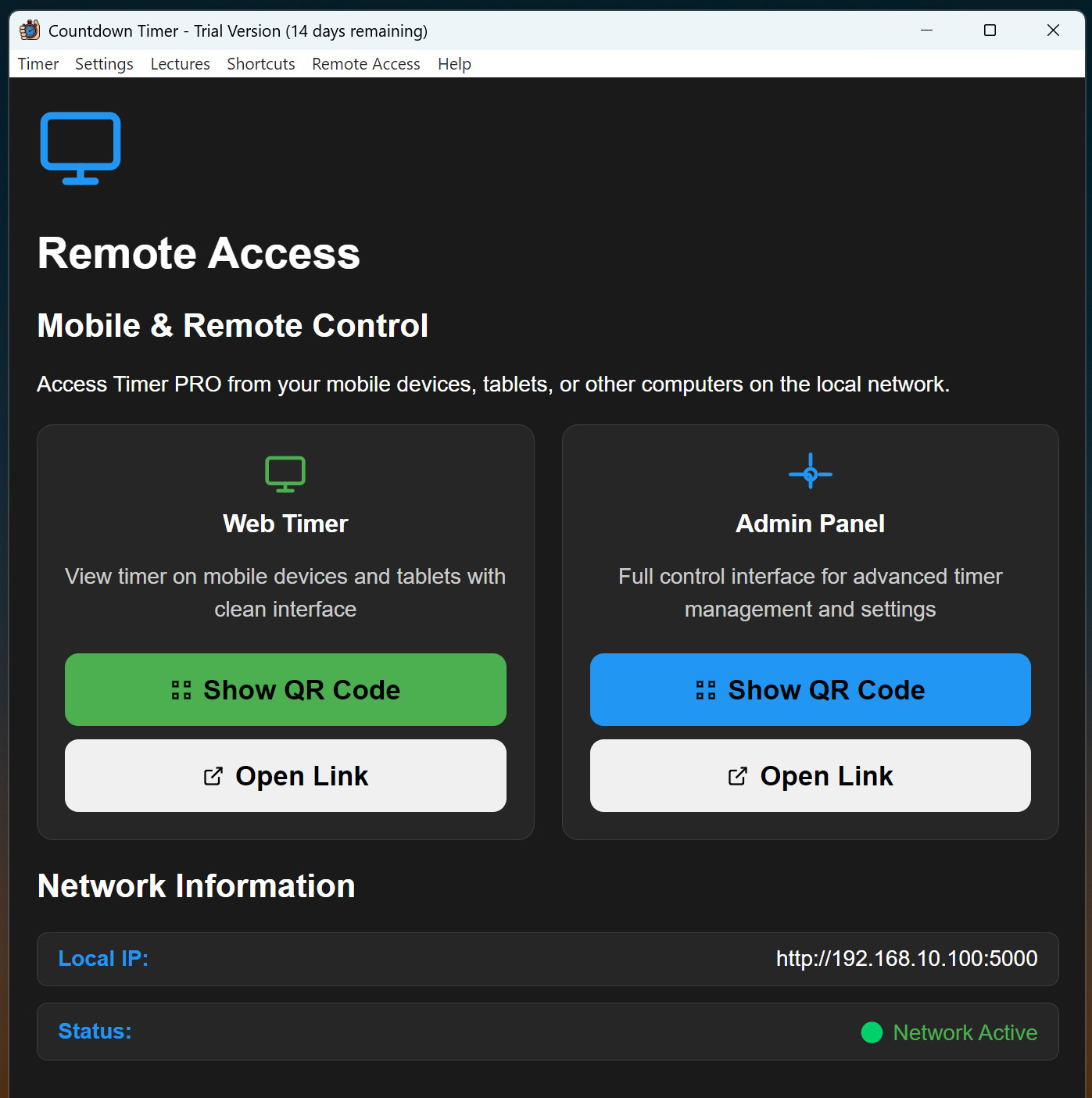
In Timer Pro go to "Remote Access" tab (F5) and note the displayed IP address.
Step 3: Connecting from Browser
- Make sure device is on same WiFi network
- Open web browser
- In address bar enter: http://IP_ADDRESS:5000
- Example: http://192.168.1.100:5000
Troubleshooting
Cannot connect to timer
- Check if devices are on same network
- Check firewall settings
- Make sure port 5000 is not blocked
Technical Support
In case of remote access problems:
- Email: staszek@as-media.com.pl